BOGO offers
BOGO (“buy one, get one”) covers the classics: “Buy 1, get 1 free”, “3 for 2”, “second one half price”, or “buy shampoo, get conditioner free”.
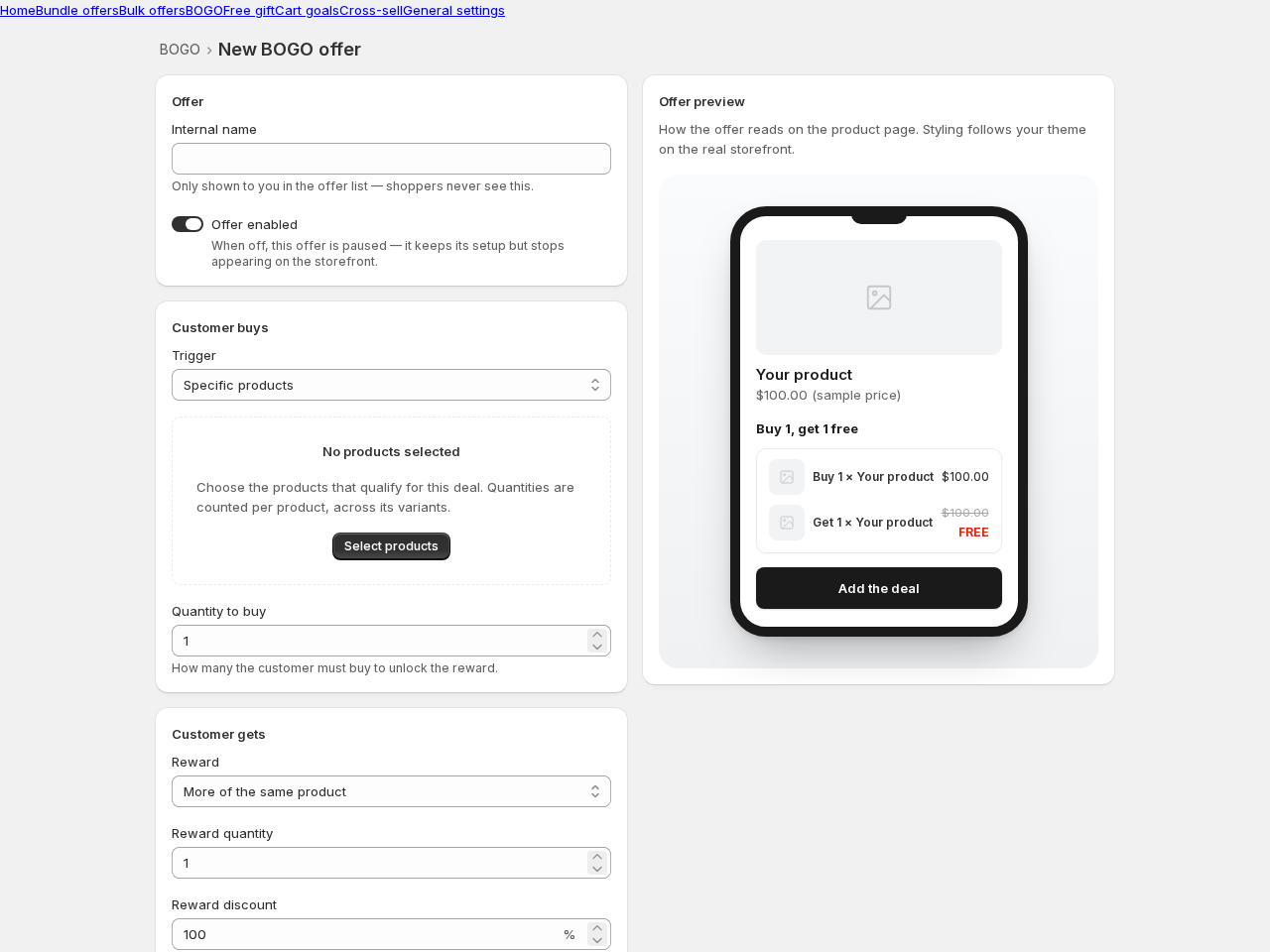
Creating a BOGO offer
Section titled “Creating a BOGO offer”- Go to BOGO → Create offer and pick a template.
- Customer buys — choose the trigger: specific products or any mix from a collection, and how many they need to buy.
- Customer gets — choose the reward: more of the same product, or a different product. Set the reward quantity and the discount (100% = free; 50% = half price).
- Save. The deal is advertised on the trigger products’ pages and applied automatically at checkout.
Auto-add: the one-click reward
Section titled “Auto-add: the one-click reward”When the reward is a different product, it must be in the cart to receive its discount. You have two options:
- The widget shows an “Add the deal” button — one click adds everything.
- Turn on auto-add: when the cart qualifies, the widget adds the reward automatically, and removes it again if the cart stops qualifying. If a shopper deletes the reward, we don’t fight them — it stays out for their session.
Good to know
Section titled “Good to know”- Maximum deals per cart controls stacking — how many times the deal can apply in one cart.
- BOGO deals combine with order-level discount codes; a product discount code replaces the BOGO discount at checkout (we show this note in the editor too — no surprises).