Bundle offers
A bundle sells several products together — “Camera + Memory Card + Case” — at a real combined price. Upselly bundles are backed by a real Shopify bundle product: shoppers get one checkout line, Shopify tracks combined inventory automatically, and the discount is genuine (the original price shows as a strikethrough).
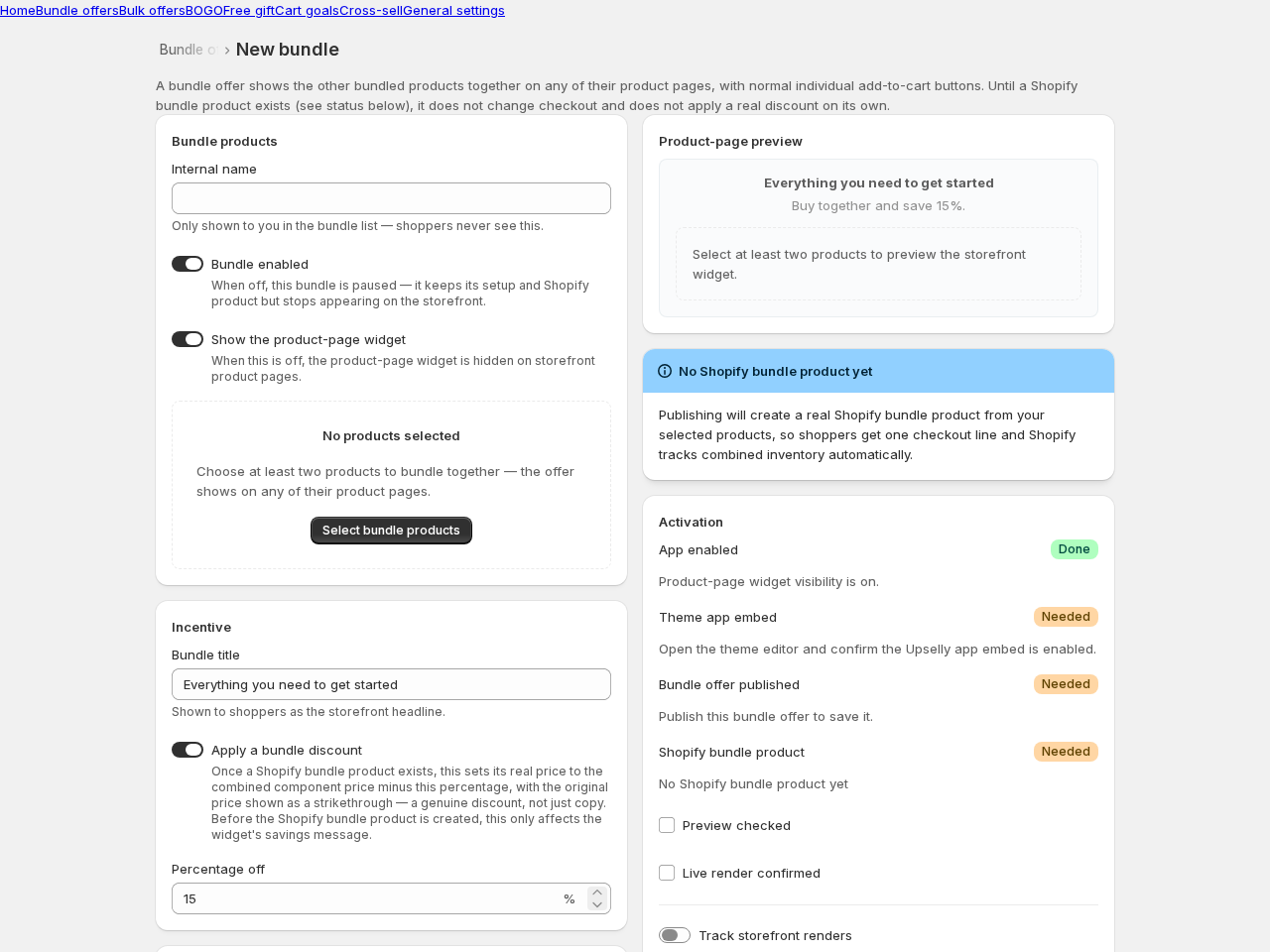
Creating a bundle
Section titled “Creating a bundle”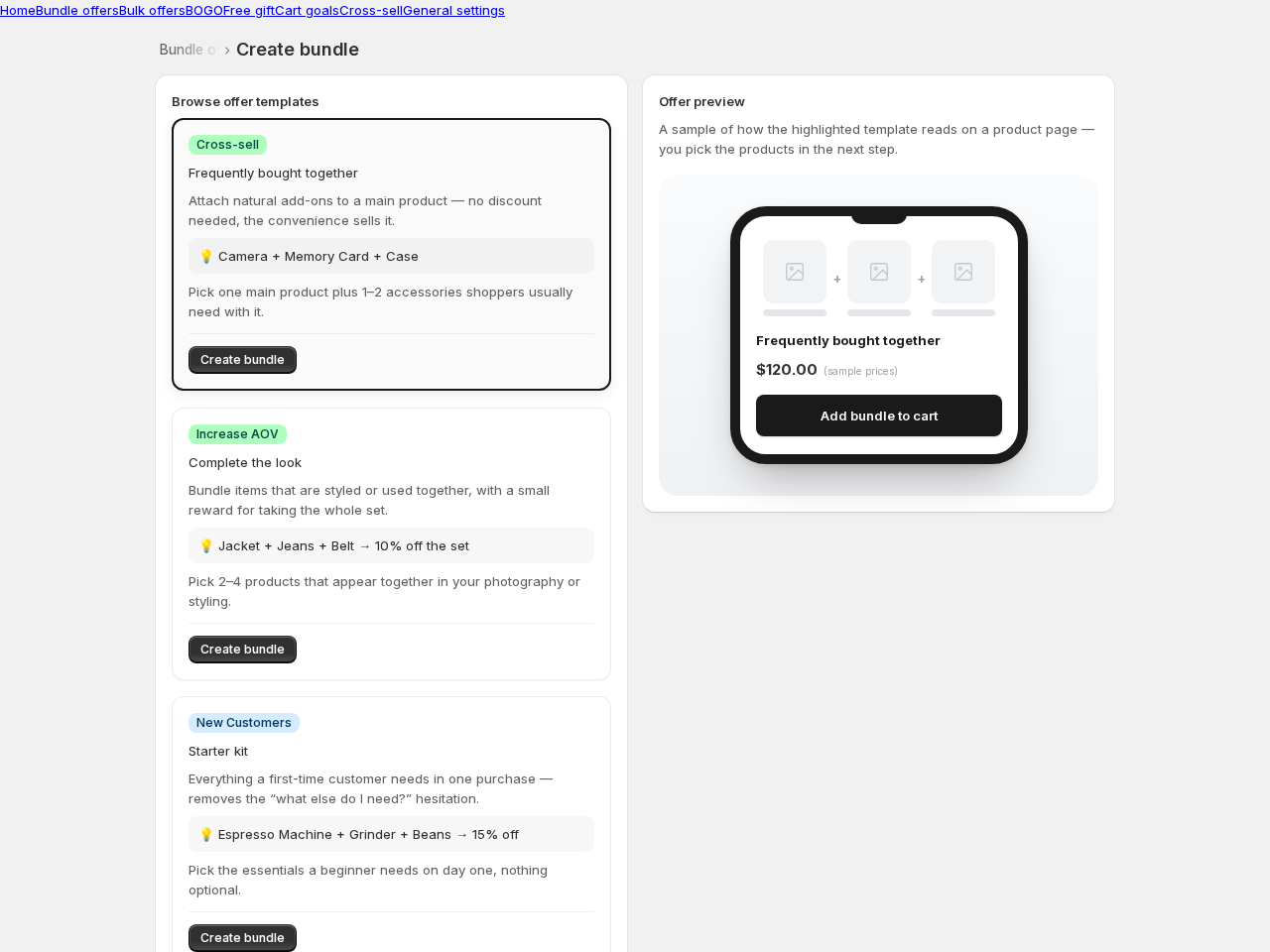
- Go to Bundle offers → Create bundle and pick a template — starter kit, gift set, complete-the-look, and more.
- Select at least two products. The offer will appear on any of their product pages.
- Give the bundle a shopper-facing title and optionally a discount percentage.
- Click Publish. Upselly creates the Shopify bundle product for you — this takes a moment; the page checks progress automatically when you reload.
The activation checklist
Section titled “The activation checklist”The right-hand column of the bundle page walks you through everything the bundle needs to appear: app enabled, theme embed on, offer published, Shopify bundle product ready. Each row tells you exactly what to do if something’s missing — and the Need help with setup button copies a diagnostic you can send us.
Good to know
Section titled “Good to know”- A product can only be in one enabled bundle at a time — Upselly warns you at selection time, not after you’ve filled everything in.
- Deleting a bundle archives its Shopify product rather than deleting it, since it may already appear in real orders.
- Bundle titles can be translated per language — see Translations.