Cart goals
Cart goals walk shoppers up a ladder of rewards with a single progress bar: “$50 → free shipping, $100 → free gift, $150 → 10% off”. Every reward applies automatically at checkout.
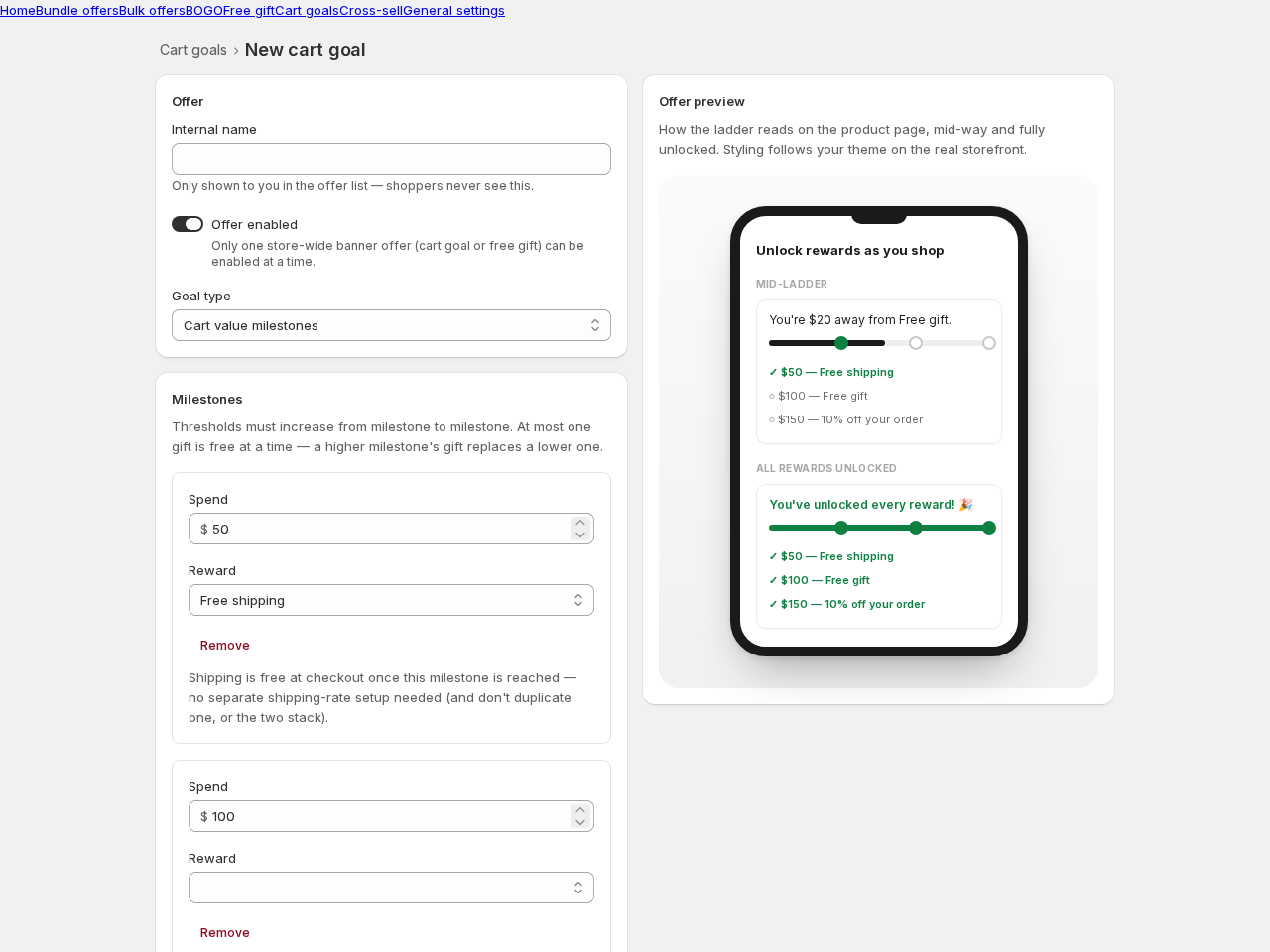
Creating a cart goal
Section titled “Creating a cart goal”- Go to Cart goals → Create offer and pick a template.
- Choose whether milestones are based on cart value or item count.
- Add your milestones. Each has a threshold and a reward:
- A free gift — pick the product and quantity.
- Percent off the order.
- Free shipping — free at checkout once reached, no separate shipping-rate setup needed (and don’t create a duplicate one, or the two stack).
- Save.
How the ladder behaves
Section titled “How the ladder behaves”- Thresholds must increase from milestone to milestone.
- At most one gift is free at a time — a higher milestone’s gift replaces a lower one, so shoppers always hold the best reward they’ve earned.
- With auto-add on, gifts are added (and swapped) automatically.
Good to know
Section titled “Good to know”- Only one store-wide banner offer (cart goal or free gift) can be enabled at a time.
- The preview shows the ladder both mid-way and fully unlocked, so you can check both states before publishing.