Free gift offers
A free gift offer rewards shoppers for reaching a cart goal: “Spend $50, get a free tote” or “Add 3 items, the cheapest is free”. A progress bar shows how close they are — a proven nudge toward bigger carts.
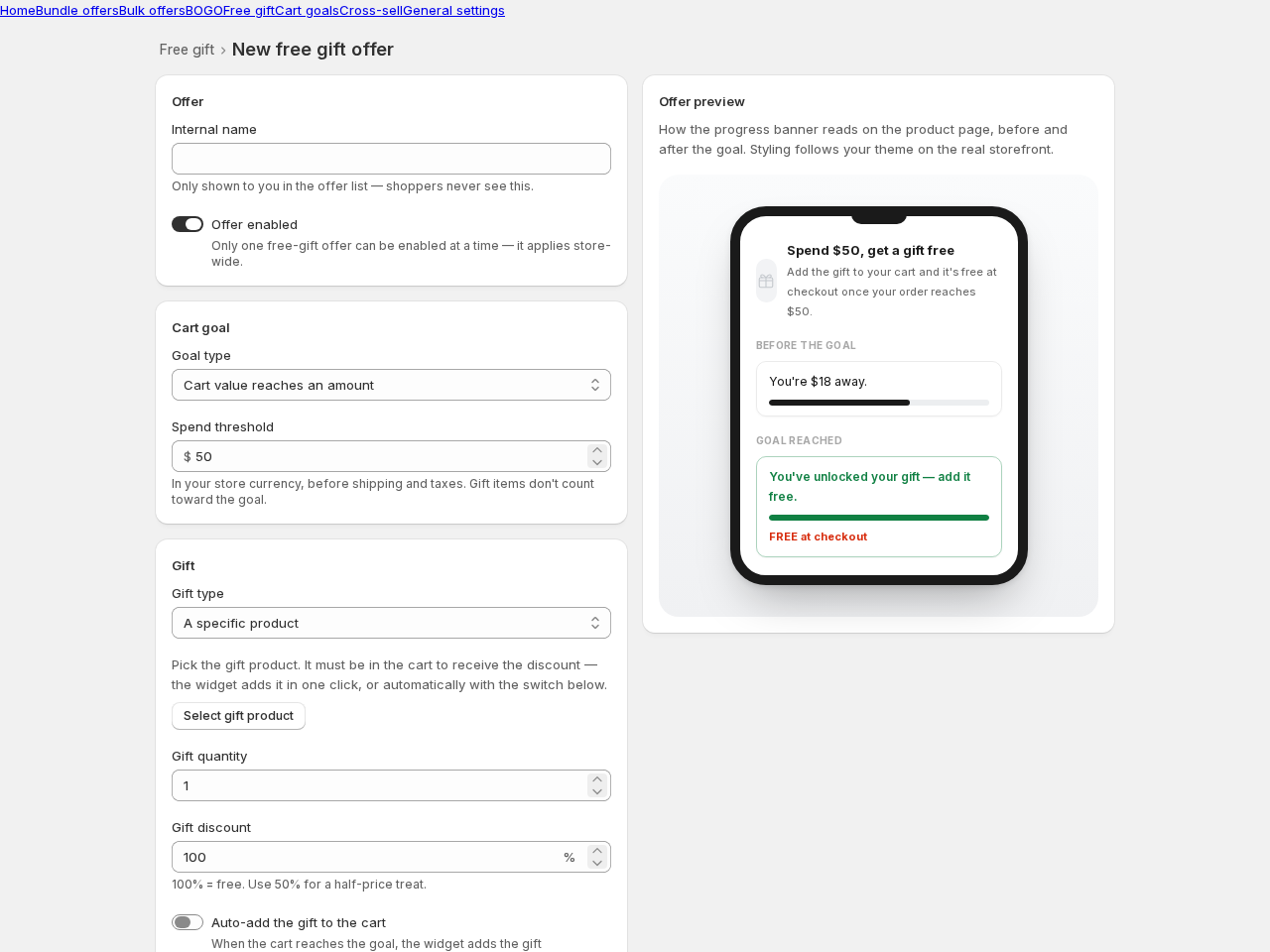
Creating a free gift offer
Section titled “Creating a free gift offer”- Go to Free gift → Create offer and pick a template.
- Choose the cart goal: a spend amount (in your store currency, before shipping and taxes) or an item count. Gift items themselves don’t count toward the goal.
- Choose the gift: a specific product, or the cheapest item in the cart. Set the discount — 100% for free, or e.g. 50% for a half-price treat.
- Save. The progress banner appears on your product pages.
Auto-add
Section titled “Auto-add”Just like BOGO rewards, a specific gift product must be in the cart to receive its discount. Turn on auto-add and the widget adds the gift the moment the goal is reached — and removes it if the cart drops below. A shopper who removes the gift isn’t fought.
Good to know
Section titled “Good to know”- Only one free gift offer can be enabled at a time — it applies store-wide. The editor warns you if another banner offer (free gift or cart goal) is already enabled.
- Maximum gifts per cart controls whether reaching multiples of the goal stacks.