Translations
Selling in more than one language? Upselly localizes both kinds of text your shoppers see — with no extra translation app.
Upselly’s own labels: automatic
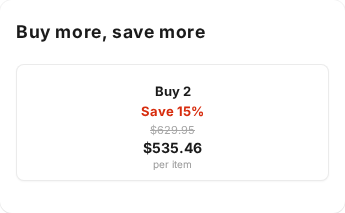
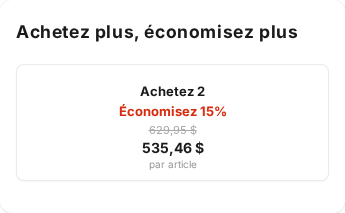
Section titled “Upselly’s own labels: automatic”Buttons and labels we write — Add to cart, Save 15%, per item, Free shipping — are translated automatically into 12 languages, based on each shopper’s storefront language. Nothing to set up.
The same offer, English shopper vs. French shopper:
Your offer copy: translated where you write it
Section titled “Your offer copy: translated where you write it”Each offer’s Widget text section accepts per-language versions of your title and subtitle. Pick a language, type the translation, and Upselly serves the right one to each shopper. Blank fields fall back to your primary text.
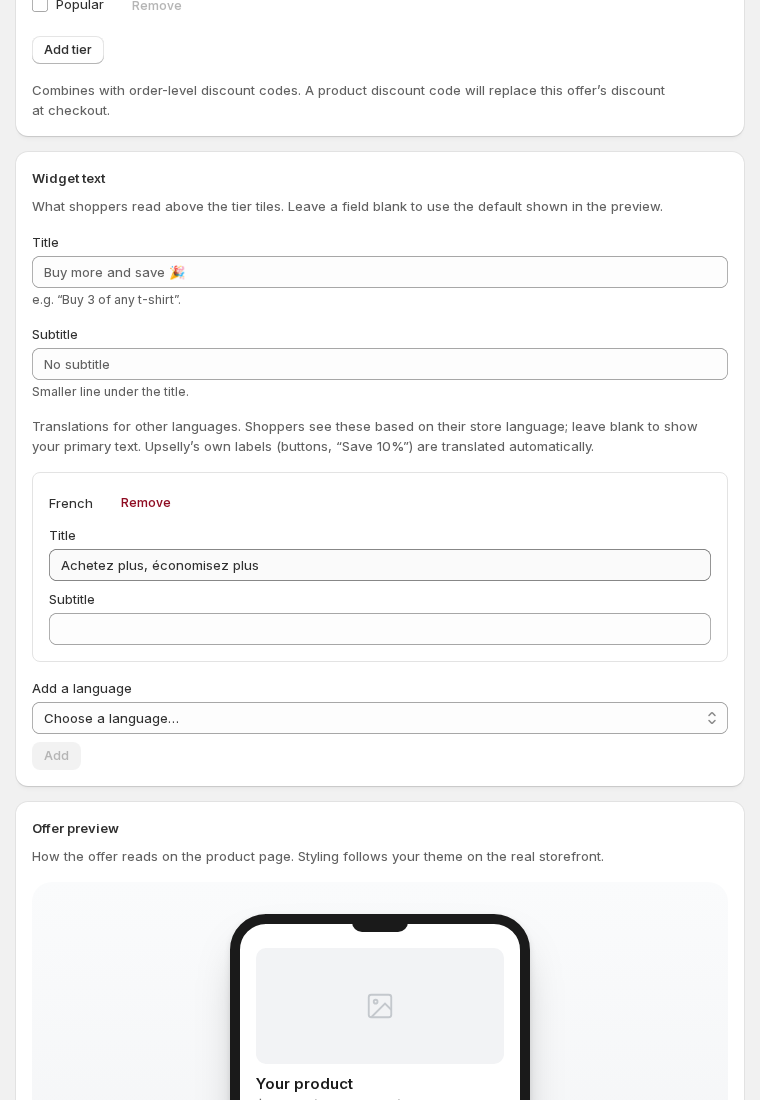
The language list shows only the languages your store actually publishes (Shopify Settings → Languages).
Any other language: the override
Section titled “Any other language: the override”Selling in a language we don’t ship, like Korean or Polish — or want to tweak our wording? Under General settings → Widget label translations you can supply your own text for any built-in label, in any language. The resolution is always: your override → our catalog → English.
Good to know
Section titled “Good to know”- Prices in the widget reformat automatically to each locale’s conventions
(e.g.
535,46 $for French). - Some translation apps that scan-and-swap page text (like Weglot) can’t reach inside Upselly’s widgets — that’s exactly why translation is built in instead.